試してみる hako ラインナップ ファウンダーエディション プロフィール よくある質問 通知を受け取る
EN 日本語 DE

説使い方ガイド

The hako guide.

Everything hako does and how to use it, from the first plug-in to a factory reset. The booklet in the box covers the basics; this page has the rest. The knob menu's Help item opens it too: tap your phone on the top of hako, or scan the code on its screen.

  1. Setup
  2. ノブ
  3. The screens
  4. Pets
  5. Games
  6. The settings page
  7. Sleep and night
  8. Wi-Fi and travel
  9. Updates
  10. Fixes
  11. Factory reset
  12. Care and help

設定は5分ほどで終わります。

  1. Plug it in. Use the USB-C power supply from the box (5V ⎓ 3A). After a few seconds the screen says join wifi hako-XXXX and shows a QR code. The four letters after hako- are your hako's own.
  2. Connect from your phone. Scan the code, or join hako-XXXX in your phone's Wi-Fi settings. On Android you can also just tap your phone on the top of hako. A setup page opens by itself: pick your home Wi-Fi and type its password. hako uses 2.4 GHz Wi-Fi; almost every home router has it.
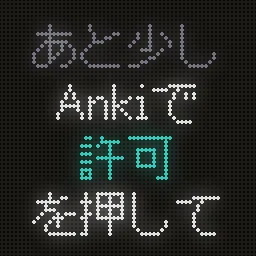
  3. Add the hako add-on to Anki. On the computer you study on, open Anki and go to Tools → Add-ons → Get Add-ons…, enter the code 1077082455 and restart Anki. When Anki asks whether to allow your hako, click 許可. hako can read your decks and reviews, but never changes them.
  4. Study as usual. Keep Anki open on the same Wi-Fi as hako. It finds Anki by itself within a minute and keeps up from then on.
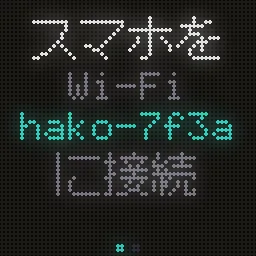
hako's screen asking you to join its setup Wi-Fi
Join this network from your phone.
hako's screen asking you to click Allow in Anki
Click Allow in Anki.
hako's screen saying setup is done
All set.
Studying on more than one computer? hako talks to whichever one has Anki open, as long as the add-on is installed on each.
↑ Contents

One knob does everything.

TurnSwitch screens. In a menu, move through it.
PressRefresh from Anki. In a menu, choose.
Double-press, or holdOpen the menu. In a game, a double-press pauses or leaves it.
Hold for 3 secondsSleep: the screen goes dark. Press or turn to wake it.
Pick up and shakeSwitch screens, or surprise your pet. You can turn this off.
Hold while plugging inFactory reset, after a 10-second countdown (see Factory reset).

The menu

RefreshFetch the latest from Anki now.
WiFiSwitch to another saved network in range, or start Setup for a new one.
AnkiLook for Anki on your network, or pick which computer to follow.
BrightScreen brightness.
CycleMove through the screens by itself every few seconds.
ShakeTurn shake-to-switch on or off.
RotateTurn the picture 90° at a time, if hako stands on another side.
Flip knobReverse which way turning the knob scrolls.
PetSwitch between the friends you've earned.
GamesPong, Pegs, Liquid and Quiz (see Games).
Infohako's address on your network, for the settings page.
HelpOpens this guide: tap your phone on top, or scan the code.
Websitehakoshop.com, the same way.

↑ Contents

Seven screens, all optional.

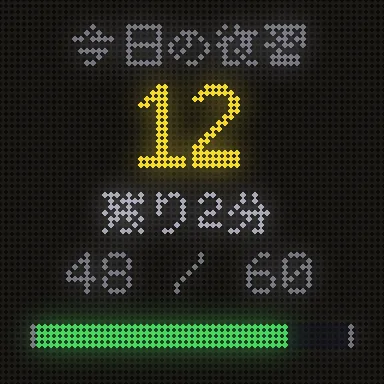
TodayCards due today, about how long they'll take, and a bar that fills as you go.
HealthYour collection by state: mature, young, learning, new and suspended.
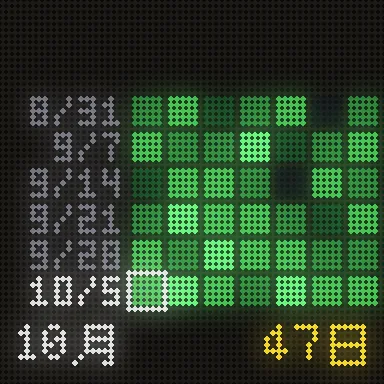
HeatmapThe last six weeks of study, one square a day, with your streak underneath. The color is yours to choose on the settings page.
PetYour study friend (see Pets).
CardsYour recent cards, random ones, or cards with a tag you pick, with an optional reading underneath, like the kana for a kanji.
RetentionHow many reviews you got right over the last day, week and month.
ClockThe time and the weather for your city.
The Today screen
Today
The heatmap screen
Heatmap
The cards screen
Cards

Hide the screens you don't want, and choose the cards, the reading field and the fonts, on the settings page.

右上の点

右上の小さな点は、hako と Anki のつながり具合を表しています。

緑接続中:前回の確認に Anki が応答しました。
点滅する青緑いま Anki に確認しています。hako は30秒ごとに確認します。
点滅する黄色1分以上 Anki から応答がありません。hako は再接続を続けています。
オレンジ5分間応答がありません。表示は最後に同期した数字です。
赤hako はまだ Anki につながっていません。
いちばん端のピンクの点近くに別の hako があります。

↑ Contents

続けるほど、なかまが増える。

Every hako starts with one study friend. Others move in as you study:

ちびFrom day one.
もちA 7-day streak.
おにぎり1,000 reviews.
かおA 30-day streak.

When a friend moves in, hako throws a little party and introduces them. Once they're in, they stay, even if a streak breaks. Switch pets with the knob menu's Pet item or on the settings page.

Pets react to your day: a bounce for each review, a cheer when you finish, a double take when a pile of cards comes due. They doze off at night. Give the box a shake while one is on screen. If another hako is on the same Wi-Fi nearby, a pink dot lights up in the corner and your pet perks up.

↑ Contents

Four games in the knob menu.

Open the menu, choose Games, then pick one. A double-press leaves Pong, Pegs and Quiz; in Liquid it opens the pause menu.

The knob menu with Games selected
Menu → Games
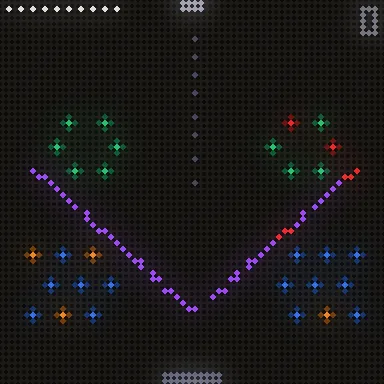
A Pegs board
Pegs
The liquid game, water sloshing
Liquid
A quiz question with four readings to choose from
Quiz

Pong

Turn the knob to move your paddle; press to start. First to the winning score takes it.

Pegs

Turn to aim, press to drop a ball. It lights every peg it touches; clear all the orange pegs before your ten balls run out. Tougher pegs take two or three hits. Land a ball in the moving bucket, or light a lot of pegs in one shot, for a free ball. Clear a board and the next one is new.

Liquid

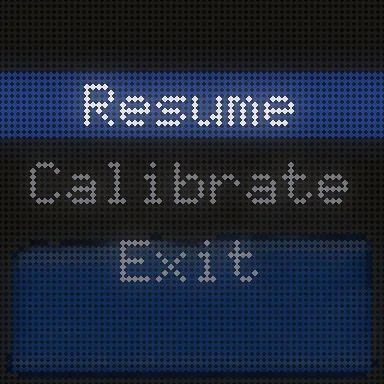
Tilt hako and the water flows. Shake it to splash, turn the knob to fill or drain, and press to switch between water, lava and slime. A double-press opens its pause menu: Resume, Calibrate or Exit.

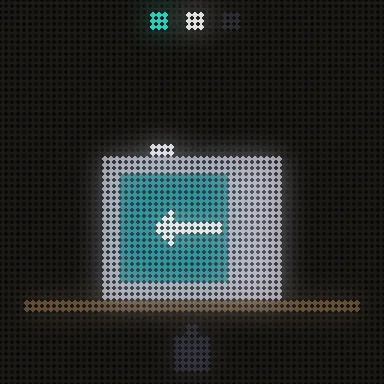
If the water flows the wrong way, choose Calibrate and follow the pictures: stand hako upright and press, lay it on its left side (the knob pointing up) and press, then lay it face down and press. A green tick means it's done; hako remembers it.

The liquid game's pause menu
Double-press: the pause menu
Calibration step two: hako on its left side
Calibrate, step 2: on its left side

Quiz

A card from your deck at the top, four readings underneath: turn to pick, press to answer. Quiz appears once hako knows a reading field for your cards (set it on the settings page under Cards) and has at least four different readings to choose from.

↑ Contents

The settings page.

hako has its own settings page, on your phone or computer, while it's on the same Wi-Fi:

The first time a browser opens it, hako shows a six-digit code on its screen: type it in. That browser stays paired; a phone tap pairs it by itself.

NowToday's numbers, your collection, a live view of the screen and connecting to Anki.
SettingsWhich screens to show; the cards (recent, random or a tag), their field, the reading under them and the fonts; the heatmap color; your pet; your city for the weather and time zone, 12- or 24-hour time and units; the sleep schedule and dimming at night; brightness; shake to switch, hakos nearby, screen orientation and knob direction; switching screens by themselves; language.
AdvancedAnki's address if hako can't find it by itself, a debug summary and the factory reset.
HelpThe knob in short, quick fixes, travel tips, the desktop app and an email button with your hako's details filled in.

↑ Contents

Sleep and night.

↑ Contents

Wi-Fi and travel.

hako remembers every Wi-Fi it joins, and which computer Anki was on for each one, so coming home needs nothing.

A friend's place or a new home

Plug hako in. Away from your saved Wi-Fi it keeps showing your last stats and never starts setup by itself. To join a new Wi-Fi, open the knob menu → WiFi → Setup; a press of the knob cancels it. Join hako-XXXX on your phone, pick the Wi-Fi and type the password. Open Anki on your laptop on the same Wi-Fi and hako finds it.

A café, library or hotel

Public Wi-Fi often keeps devices apart, or needs a sign-in page that hako can't get past. Use a hotspot instead: turn on your phone's hotspot and connect your laptop to it. Then start hako's setup, join hako-XXXX from the laptop and pick your phone's hotspot. On Windows the laptop itself can be the hotspot (Settings → Mobile hotspot). hako remembers it for next time.

Switching between saved Wi-Fi

Knob menu → WiFi → Switch lists the networks in range, saved ones first. Pick one to hop over without the setup page.

No internet at all

hako keeps showing the clock, your pet, the games and your numbers from the last sync, even after you unplug it. The weather and Anki numbers catch up once it's back online.

↑ Contents

Updates install themselves.

New screens, pets, games and fixes arrive overnight over Wi-Fi. Every update is signed, so hako only installs ones that really come from us. If an update ever fails to start, hako goes back to the version before by itself. The settings page shows your version and lets you check for an update or install one now.

↑ Contents

If something's not right.

Open Anki on your computer and check the hako add-on is installed (Tools → Add-ons). hako and the computer need to be on the same Wi-Fi. Then press the knob once to refresh. Still nothing? On the settings page, Now → Look for Anki now, or type Anki's address under Advanced.

hako が Anki とつながれるのは、同じ Wi-Fi のパソコンで Anki が開いているときだけです。黄色の点滅が多いときは、パソコンがスリープしている、Wi-Fi が省電力になっている、または Anki が同期中で忙しい可能性があります。最後のエラーは設定ページの「詳細 → Anki との接続」で確認できます。Anki を閉じても大丈夫です。点がオレンジになり、hako は最後の数字を表示し続けます。

Stay joined to hako-XXXX and open any website, like example.com: your phone should switch to hako's page. If your phone says the network has no internet, choose to stay connected. You can also type 192.168.4.1 in the browser.

Your phone or computer must be on the same Wi-Fi as hako. If hako.local doesn't work, open the knob menu → Info and type the address shown there.

Use the USB-C power supply that came with hako (5V, 3A): weaker phone chargers can't power the full panel, so hako turns itself down. Also check dim at night and the brightness on the settings page.

Knob menu → Rotate turns the picture 90° at a time, and Flip knob reverses the knob. Both are on the settings page too.

Double-press in the game, choose Calibrate and follow the three pictures (see Games).

Quiz needs a reading field for your cards: set reading under the card on the settings page, and have at least four cards with different readings.

If something ever freezes, hako restarts itself and carries on. The settings page counts these under the version number, with the reason. If the count keeps growing, email us and include it.

↑ Contents

Factory reset.

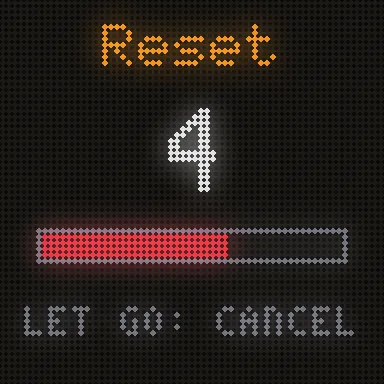
A factory reset forgets your Wi-Fi, the Anki connection, paired browsers, earned pets and every setting, then restarts hako in setup mode, as it came out of the box. Its serial number and calibration stay.

The factory reset countdown on hako's screen
Keep holding to reset; let go to cancel.

Afterwards, set hako up again as in Setup.

↑ Contents

Care and help.

Stuck, or something not working? Email hello@hakoshop.com. The settings page's Help tab has a button that fills in your hako's details for you. Regulatory information is on the compliance page.

↑ Contents

第一弾

第一弾は2027年春に登場します。

番号入りのファウンダーエディション25台の後は、Kickstarterでより多くの台数を製作します。メールアドレスをご登録いただければ、予約開始時とKickstarter開始時にだけお知らせします。それ以外は送りません(開発日記をご希望の方を除きます)。

チェックしない場合、メールは最大2回、予約開始時とKickstarter開始時だけです。配信はいつでも停止できます。メールアドレスを第三者に渡すことはありません。